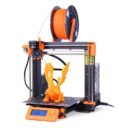
PrusaSlicer is Prusa Research’s free, open-source slicer. A slicer turns a 3D model into the layer-by-layer instructions (G-code) a 3D printer follows. Prusa sums it up as “Free. Open-source. No account required. Runs on your machine.” It has three modes in one application, Simple, Advanced and Expert, so beginners start with sensible defaults and unlock more settings later.
It suits anyone who wants a local, open-source slicer, and it is the slicer Prusa Research builds for its own Original Prusa and Prusa CORE printers.
How to get the official version
The stable release is PrusaSlicer 2.9.6, released on 25 June 2026. Download it from the PrusaSlicer page on prusa3d.com; the buttons point to the project’s GitHub release.
- Windows: a 64-bit installer (
PrusaSlicer-2.9.6-setup.exe); Windows 10 or later is required. A zip version is also in the GitHub release. - macOS: one universal DMG for Intel and Apple Silicon Macs.
- Linux: Prusa lists Flathub and an AppImage from GitHub. The 2.9.6 GitHub release itself contains only the Windows and macOS files, so on Linux use Flathub.
With winget: winget install Prusa3D.PrusaSlicer.
PrusaSlicer 3 preview
Prusa also offers an experimental preview of PrusaSlicer 3 (3.0.0-alpha12, released on 21 September 2026). Pre-release builds keep their own configuration, so they can run alongside your current version, but Prusa does not recommend them for production use.
Phones and tablets
PrusaSlicer is a desktop application. For phones and tablets Prusa points to EasyPrint, which uses the same engine on Prusa’s servers with a touch interface, and to the Prusa.app for monitoring printers via Prusa Connect. Those are separate services, not PrusaSlicer itself.
Price and account
PrusaSlicer is free and needs no account. Prusa sells printers and filament and offers an optional online course, the PrusaSlicer Masterclass; none is needed to use the software.
Questions
Do I need a Prusa account?
No. Prusa states that PrusaSlicer needs no account and runs on your own machine. Prusa Connect, the remote printer service, is separate.
Can I install the 3.0 alpha without losing my settings?
Prusa says pre-release builds keep their own configuration and can run alongside the stable version. Keep your own backups anyway.
Where are older versions?
The download page links to all releases on GitHub.