
Adobe Illustrator CS6 Portable Free Download is a common search phrase for an old Illustrator release, but it needs an important clarification: Adobe does not provide a supported “portable” edition of Illustrator CS6. Packages described that way on third-party sites are unofficial, may be modified, and cannot be verified for security or licensing.
This guide explains what Illustrator CS6 offered, what “portable” usually means, the compatibility limits of this legacy software, and the safe official options available today. Softwares Academy does not host or distribute unofficial Adobe installers.
Quick answer: is Illustrator CS6 Portable official?
Before you decide on a version, read our guide to which Adobe Creative Cloud plan is actually worth buying — licensing, the legitimate free routes, and the alternatives worth testing.
- Official status: Adobe released Illustrator CS6 as part of Creative Suite 6, not as a supported portable edition.
- Support status: Adobe lists Creative Suite apps and suites as having reached the end of extended support in 2019.
- Safety: an unofficial portable package can be repackaged, infected, incomplete, or unlicensed.
- Best option: use the current licensed Illustrator release from Adobe, or install a legitimately owned older version only through the options available in your Adobe account.
What people mean by “portable” Illustrator
In software searches, “portable” normally describes a package intended to run without a conventional installation. That description does not make the package an Adobe product. A third party may have changed program files, removed components, bypassed activation, or bundled additional software. Those changes can break updates, color management, fonts, plug-ins, printing, cloud features, and file compatibility.
A small download size is not proof that a package is safe or optimized. It can also mean that required components were removed. For design work, an unverified build creates an extra risk because project files may contain confidential client assets and because damaged AI, EPS, or PDF output can be expensive to recover.
Illustrator CS6 overview
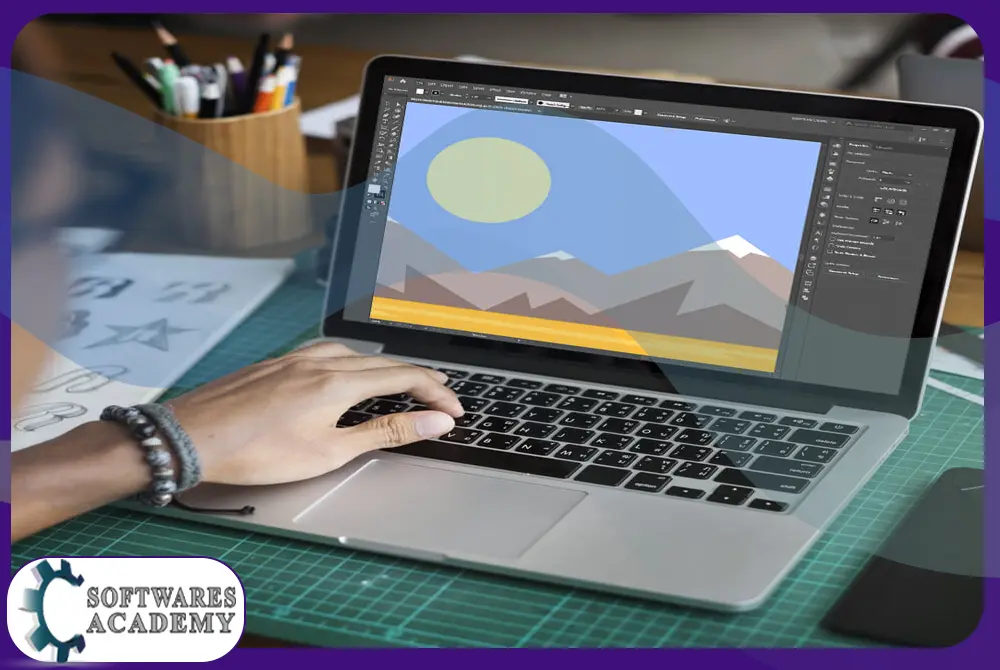
Illustrator CS6 was a major desktop vector-graphics release from the Creative Suite era. It was designed for logos, icons, illustrations, typography, diagrams, packaging, print artwork, and scalable graphics. Its core value was precise path editing: artwork could be resized without the pixelation associated with raster images.
CS6 also introduced Adobe’s Mercury Performance System, a darker redesigned interface, improvements to image tracing and pattern creation, better handling of complex artwork, and refinements across panels and drawing tools. Those capabilities made the release popular, but popularity does not remove its age, support, security, or compatibility limitations.
Notable Illustrator CS6 features
- Vector drawing: Pen, Pencil, Shape, Pathfinder, anchor-point, stroke, and fill controls for scalable artwork.
- Typography: character, paragraph, OpenType, text-on-path, and text-frame controls for design layouts.
- Image Trace: conversion of supported raster artwork into editable vector paths, with results dependent on the source image and settings.
- Pattern creation: tools for building and previewing repeating vector patterns.
- Appearance and effects: multiple fills and strokes, transparency, gradients, clipping masks, and non-destructive appearance settings.
- Artboards and export: multiple artboards and common vector or raster export workflows for print and screen projects.
- Workspace control: customizable panels and saved workspaces for different tasks.
Compatibility and system requirements in 2026
CS6 was built for operating systems and hardware from the early 2010s. Its archived minimum specifications should not be treated as a promise that it will work correctly on a modern computer. New operating systems, display scaling, GPU drivers, font technologies, security controls, and plug-in architectures have changed substantially.
| Area | Practical guidance |
|---|---|
| Windows and macOS | Expect possible installation, activation, driver, printing, and high-DPI issues on current systems. Test only with a legitimate license and keep a rollback plan. |
| Memory and storage | Large vector files, linked images, effects, and multiple applications need more resources than old minimum specifications suggest. An SSD and regular backups are advisable. |
| GPU | Modern GPU drivers are not guaranteed to support every legacy acceleration path. Disable problematic acceleration only as a troubleshooting step, not as a security workaround. |
| Plug-ins and fonts | Older plug-ins or fonts may not install or behave consistently. Verify commercial font and plug-in licenses before migrating a project. |
| File exchange | Keep original AI files and export archival PDF/SVG copies where appropriate. Newer Illustrator features may not round-trip to CS6. |
Adobe’s current Illustrator requirements are much newer and include supported Windows 10/11 or recent macOS versions, 8 GB of RAM minimum, and current GPU/API requirements. That contrast is another reason not to describe CS6 as a dependable choice for a current production workstation.
Safe and official Adobe Illustrator options
For a secure installation, obtain Illustrator from Adobe and use a valid Adobe account and license. The official product page provides the current version, purchasing information, and trial availability where offered. Adobe’s support-period matrix documents the lifecycle of Creative Suite products, while the current technical-requirements page lists supported systems.
Before opening an old Illustrator project
- Duplicate the project folder and preserve the original files.
- Confirm that linked images, fonts, and plug-ins are available and properly licensed.
- Open a copy in a supported Illustrator version and review text reflow, effects, transparency, colors, and linked assets.
- Export a proof PDF and compare it with the approved reference before replacing production files.
Related guide: Adobe Illustrator 2021 overview
Frequently asked questions
Can I download Adobe Illustrator CS6 Portable from this page?
No. This page does not host or link to an unofficial portable package. It provides a legacy-product guide and directs readers to Adobe’s official resources.
Did Adobe release an official portable version of Illustrator CS6?
No supported portable edition is offered through Adobe’s official Illustrator distribution. “Portable” packages found on third-party sites should be treated as unofficial and unverifiable.
Is Illustrator CS6 still supported?
No. Adobe’s support-period matrix lists Creative Suite apps and suites as having reached the end of extended support in 2019.
Will Illustrator CS6 work on Windows 11 or a current Mac?
It may fail or behave unpredictably because CS6 predates current operating systems and drivers. Adobe does not list CS6 as a supported current release. Use a supported Illustrator version for production work.
How do I package an Illustrator project?
In a supported Illustrator release, use File > Package where the feature is available, then review the copied document, linked graphics, fonts, and report. Font licensing may restrict whether font files can be packaged.
